Sign up and create your company
Getting from nothing to a working account takes two steps: create your login, then tell us about your business.
Create your login
Go to the sign-up page and fill in your first name, surname and email address, then choose Continue.
Next you create a password. Use something you have not used elsewhere. This password gets you into every E·BIZI app, so it is worth putting in your password manager rather than trying to remember it.
We then email you a six-digit code to check the address works. Type it into the boxes on screen. The code expires after ten minutes. There is a Resend link with a short countdown if it does not arrive.
If the code never turns up, check your spam or junk folder first. It comes from an address you have not seen before, which is exactly the kind of thing spam filters hold back.
Tell us about your business
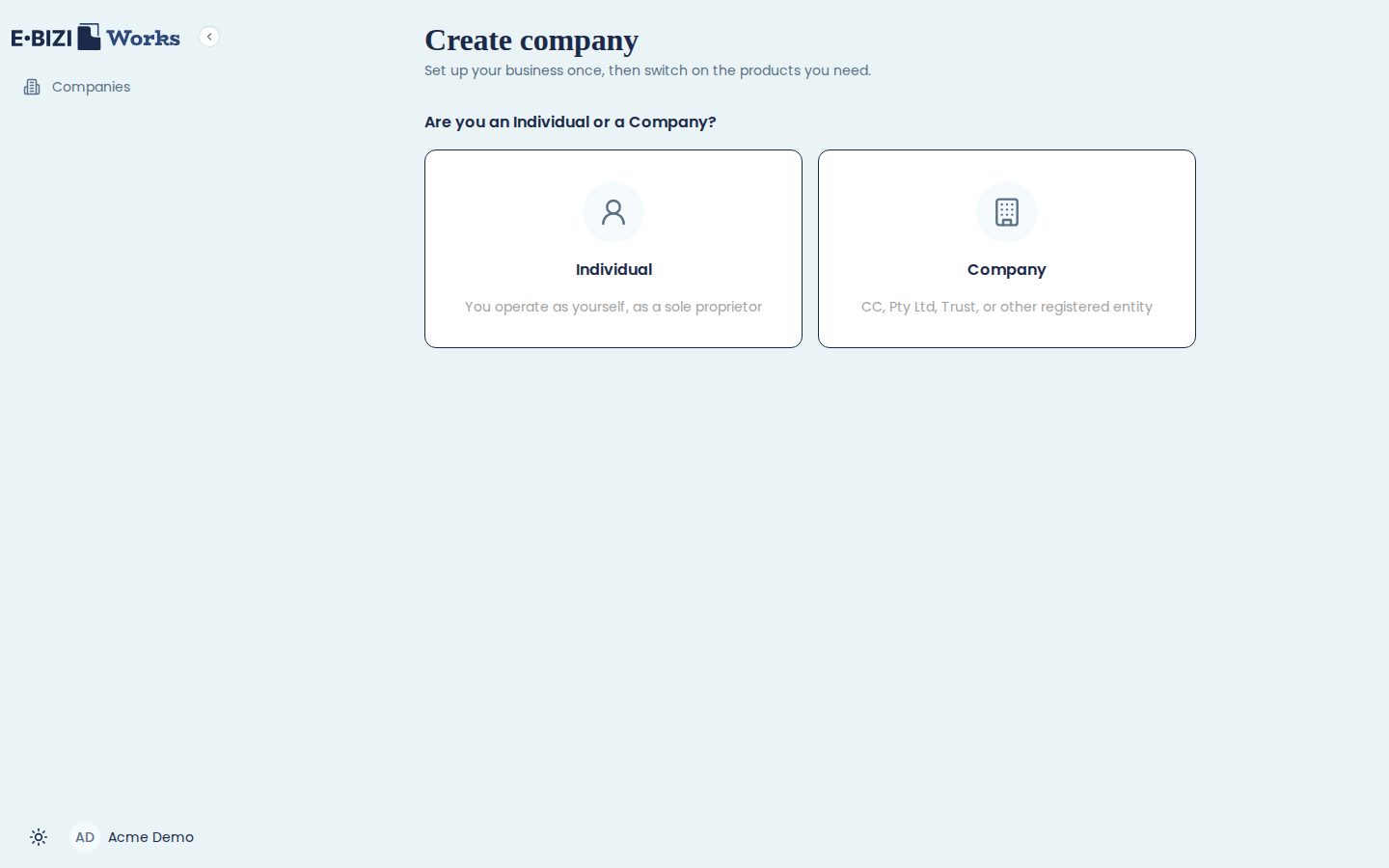
Once your email is confirmed you land on Create company. The first question is whether you are an Individual or a Company.
Choose Individual if you trade as yourself, as a sole proprietor. Choose Company if you are a CC, a Pty Ltd, a Trust or any other registered entity. Your answer changes what we ask for next, so pick the one that matches how you are actually registered, not how you think of yourself.
If you are a company
Fill in your Registered name exactly as it appears on your CIPC documents. Trading name is optional: leave it blank and we use the registered name.
Company type matters, because choosing Close Corporation or Private Company
(Pty Ltd) adds a field for your CIPC registration number. It looks like
2019/451822/07.
SARS income tax reference is your ten-digit company tax number. We check it as you type. SARS numbers carry a check digit, so a typo is caught immediately rather than weeks later when something fails to submit.
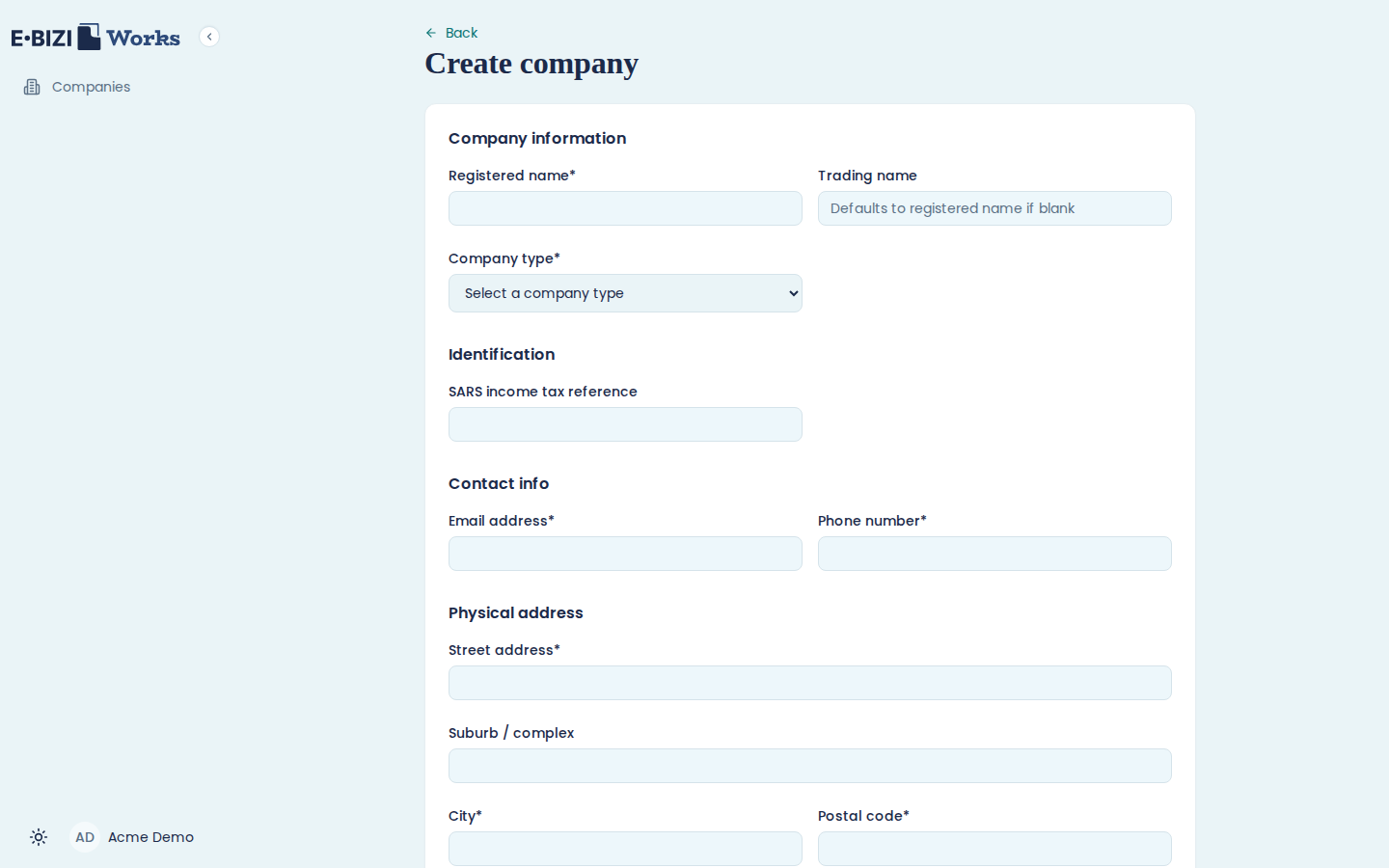
The rest is contact and address detail: an email address and phone number we can reach you on, and your physical address. Then choose Create company.
What happens next
You go straight to subscribing. There you pick E·BIZI Pay, E·BIZI Papers, or both. Nothing is chargeable yet, and your company already exists, so if you close the tab here you can pick up where you left off.
See subscribe and start your trial for the next step.
You do not need to be registered with SARS yet
You can create your company and start using E·BIZI Pay before your PAYE registration comes through. The SARS reference fields in set up your apps are optional and you can fill them in later.
If you have not registered as an employer yet, our guide on how to register as an employer with SARS walks you through it.