Payroll history
Every month you confirm drops into Payroll history, at the bottom of the Payroll screen, under the month you are working on now.
What a month shows
One card per confirmed month, with the headline figures for it.
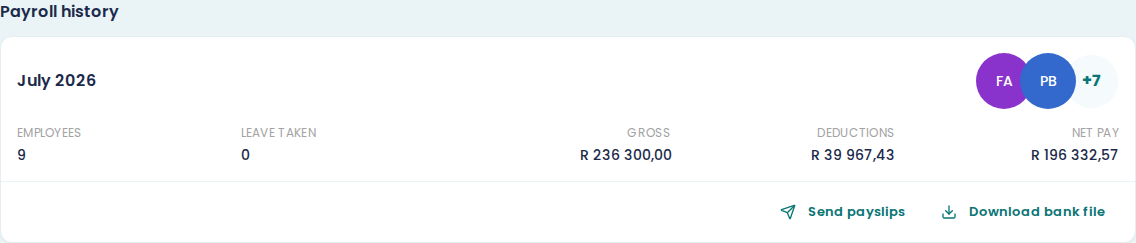
EMPLOYEES is how many people were on that run.
LEAVE TAKEN is total days recorded across everyone that month. See capture leave.
GROSS, DEDUCTIONS and NET PAY are the same three figures as the payroll rows, added up. Net pay is what left the bank.
Look inside a month
Choose the month name to expand it. You get the employee rows as they were when you confirmed: each person's gross, the lines that made it up, their deductions and their net pay.
Add income and Add leave are not there, because the month is locked. Download payslip and Send payslip are, per person.
Choose the month name again to collapse it.
Redo something for a past month
Two actions sit on the card itself.
Send payslips sends everyone on that run their payslip. Use it when someone says theirs never arrived, or when you fixed a contact detail after the fact. See send payslips to employees.
Download bank file rebuilds the payment file for that month. See generate a bank file.
Both work on months you finished long ago, not only the most recent one.
Checking what still has to happen
Payroll history tells you what a month came to. It does not tell you which month-end steps you have finished. That is the Processing dashboard, which has its own picker for moving between months.
If a confirmed month is wrong
You cannot reopen it from here, and there is no undo. See close a payroll period for what to do instead.