Environments and API keys
An API key is what lets your own system produce documents from your templates. This is the setting-up: where the key comes from, which environment it belongs to, and what to do when you need to replace it.
Find the settings
Settings is in the menu under your name, at the bottom of the sidebar, not in the list of sections above it. It is one page: your workspace name and company at the top, then your environments, your API keys and your webhook endpoints, with your plan and usage at the bottom.
What is already there
Every Papers company starts with three environments: DEV, UAT and PROD. Each has a display name and a slug, and the slug is the short name your keys and the API use.
For most businesses those three are enough and this section never needs touching. What the environments are for is in environments and promotion.
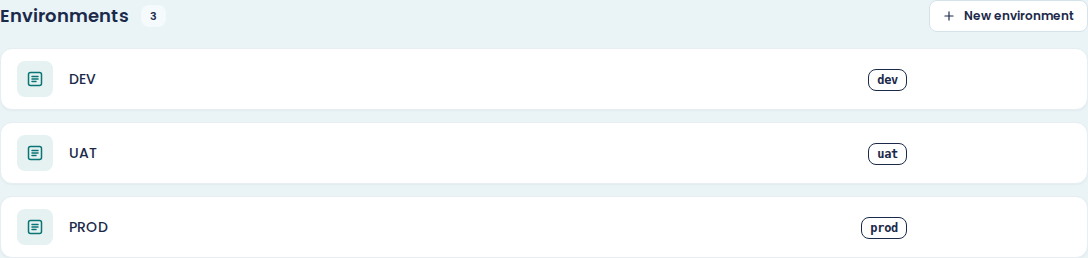
Add an environment
New environment takes a Display name of up to 40 characters and fills in the Slug from it. You can edit the slug before you choose Create environment: up to 16 characters, using lowercase letters, numbers and hyphens. Position sets where in the pipeline the new environment goes.
The slug cannot be changed afterwards. Get it right the first time, or you will be deleting the environment to rename it.
Delete an environment
Delete on an environment asks what to happen to everything still pointing at it. Drop removes those pointers. Move pointers to... sends them to another environment you choose.
Templates published into that environment are what those pointers are. Dropping them means those templates are no longer published anywhere for that stage, so choose Move unless you know otherwise.
Get your company id
The API Keys section shows your Company ID with a Copy button. Every API request needs
it, in the X-Company-Id header, next to the key.
The two together are what identify you. A key without the matching company id is rejected.
Make an API key
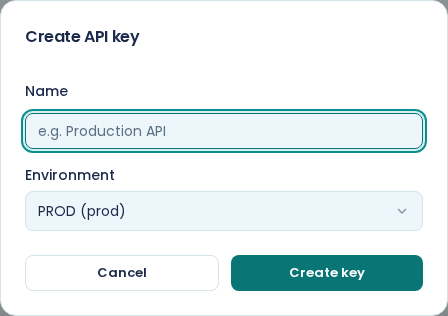
Choose New key. Give it a Name and pick the Environment.
Name it after the thing that will use it, not after yourself: "Order system" tells you what breaks when you revoke it, "Chris" does not.
The environment matters more than it looks. A key generates documents only from the templates published to its own environment, and no request can point it somewhere else. A DEV key cannot produce a PROD document, which is the whole reason to have both.
An AI assistant does not need a key. The connector signs in as you, a person, and can do only what you can do. Setting it up is in connect E·BIZI Papers to your AI assistant.
Copy the key immediately
The key is shown once, on screen, right after you create it. There is no way to see it again.
Copy it into your password manager or your deployment's secret store before you close the dialog. If you lose it, revoke it and make another; that is quicker than anything else you might try.
Treat it like a password. It belongs in a secret store, not in your source code and not in anything running in a browser.
Read the key list
Each key shows its name, the first few characters of the key itself, its environment, when it was created, and when it was Last used.
Last used is the useful column. A key that has never been used is either not deployed yet or pointing somewhere else. A key nothing has used for months is a key you can revoke.
Revoke a key
Revoke on the key's row, then confirm. Anything using that key stops working immediately and there is no undo.
To rotate a key without downtime: make the new one, switch your system over, check it works, then revoke the old one. Revoked keys stay in the list behind the Show revoked tick box, so the record of what existed does not disappear.
The API reference
View API documentation in the API Keys section opens the full reference for the Papers API: every endpoint, every field, and a description of the errors. It covers more than generation: the templates, fragments, fonts, assets, environments, signing requests and webhooks endpoints are there too.
The walkthrough version is generate documents from your own system.