Void a request or handle a decline
Two ways a signing request ends without signatures: you cancel it, or somebody refuses. They look similar in the list and they need different things from you.
Void a request you should not have sent
A sent request cannot be edited. If the document is wrong, or the deal changed, or you sent it to the wrong person, voiding it and sending a corrected one is the whole procedure.
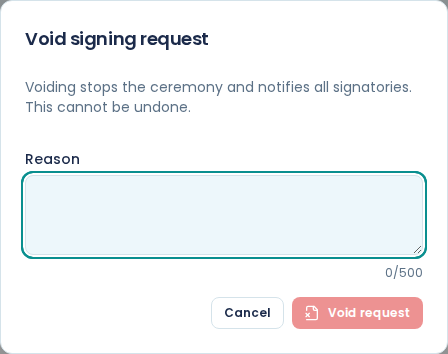
Open the request and choose Void request. Give a reason, then choose Void request in the dialog to confirm.
The request moves to Voided, and nothing can be undone from there: you cannot un-void a request.
Tell the signers yourself
Do not count on voiding to tell your signers. Phone or email them yourself, and send the replacement request straight away with a line in its message saying it supersedes the one they already have. Two live requests for the same document is worse than one dead one.
Write a reason you will understand later
The reason is required, up to 500 characters, and it stays on the request in the file Download audit JSON gives you. That is exactly what you want when the client phones in three weeks asking why they got two contracts.
"Wrong VAT number, replaced by INV-2026-0211" is a reason. "Mistake" is not.
Only a sent request can be voided
Void applies to a request that is out with the signers. A Draft has not been sent, so it has Discard instead, and a request that is already declined, expired or voided has neither.
Once the last person signs, the request moves to Sealing and then Completed, and it can no longer be voided. Once it is signed, it is signed, and the correction is a new document rather than a cancellation.
When a signer declines
The request moves to Declined and stops there.
Papers emails the decline, with the reason the person gave, to the other signers on the request. That includes you only if you are one of the signers, for example because you added yourself with Add me. Either way, the request shows as Declined in Signing, the decline and its time are in the request's audit timeline, and the reason is in Download audit JSON.
Read the reason before you do anything else. A decline is usually a question in disguise: a wrong figure, a term they will not accept, or a name spelled wrong.
What to do about a decline
Nothing happens automatically. The declined request stays as it is, as the record of what happened, and you fix whatever they objected to and send a new request.
Do not chase a declined request. It cannot be reopened, resent or revived. If the signer opens their link again, it shows Decline recorded.
Signers can decline
Decline to sign is on every signer's screens until they submit. Somebody who will not sign has a way to say so and give a reason, rather than going quiet while you spend a fortnight chasing a request that was never going to complete. A decline with a reason is information; silence is not.
Telling the four dead ends apart
Voided is you cancelling. Declined is a signer refusing, with a reason. Expired means the links ran out before everybody signed. A Draft you discard leaves nothing behind at all.
Only the first three stay in the list. Use the state filter above the list to find them. See track signatures and send reminders.